How to Get Blog Posts Indexed Faster
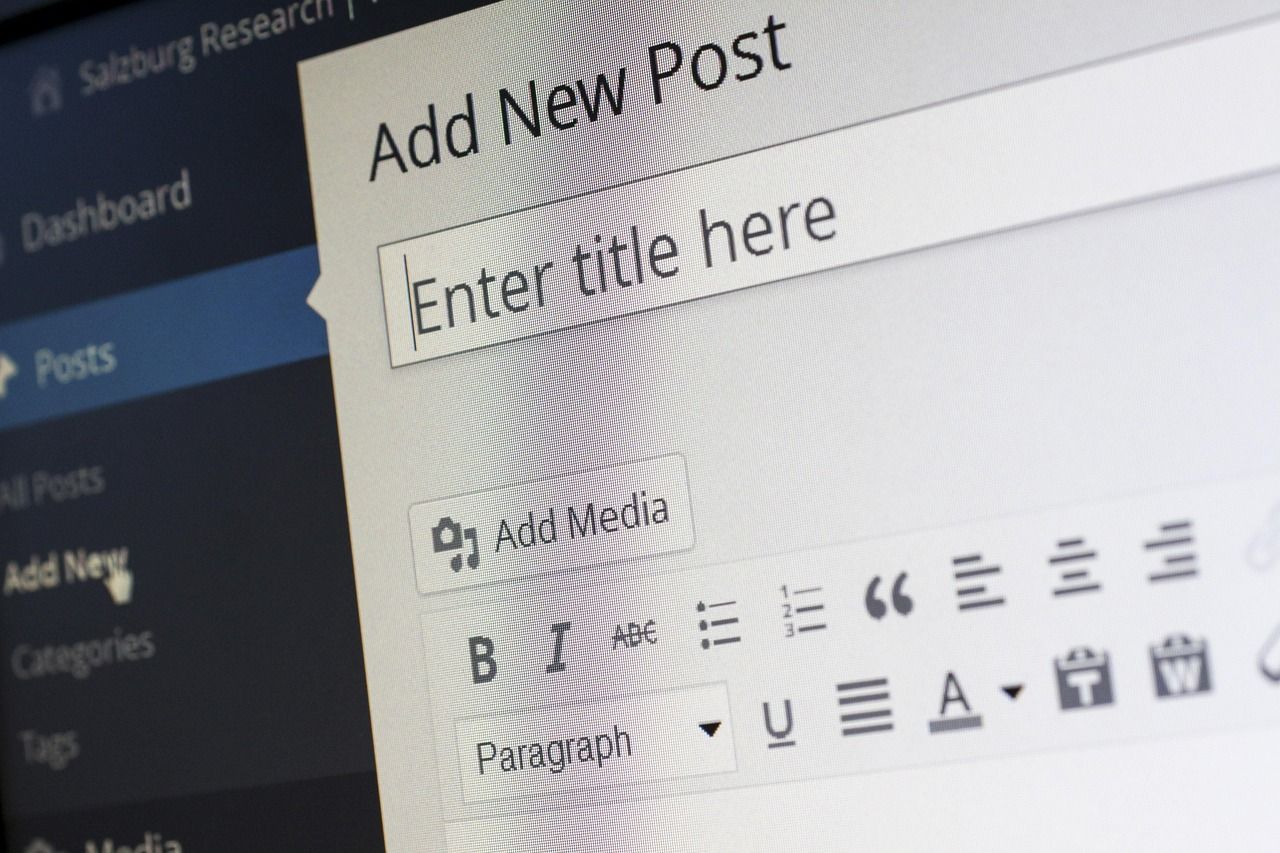
Getting a blog post indexed faster means helping search engines discover, crawl, and add the page to their index sooner, so it becomes eligible to appear in search results. Indexing is not instant and cannot be forced, but a crawlable page, a submitted sitemap, and strong internal links give search engines the shortest possible path to finding it.
TL;DR / Key Takeaways
- Indexing means a page is stored in the search engine's index; without it, the page cannot rank.
- The fastest legitimate levers are a crawlable page, a sitemap entry, and internal links from already-indexed pages.
- Request indexing in Search Console for a few important URLs, not for every post.
- Repeated requests for the same URL do not make crawling happen sooner.
- Crawling can take days to weeks, so patience and monitoring beat repeated resubmission.
- Fix blocks first: a noindex tag, a robots block, or a broken page cannot be indexed faster.
What Indexing Means, and Why It Takes Time
Indexing is the step after discovery and crawling. A search engine first has to find out that your page exists, then fetch it, then decide whether to store it in its index. Only indexed pages can appear in search results. A page that has been published but not yet indexed is invisible to searchers, however good its content is.
The time this takes varies, and Google's own documentation is candid about it: crawling can take anywhere from a few days to a few weeks. That range surprises bloggers who expect publication to mean immediate visibility, but it reflects how crawling works at web scale. Search engines allocate crawling effort based on many signals, including how often a site changes, how well its pages link together, and how efficiently its server responds. A new or rarely updated site is crawled less often than an established, frequently updated one, so its new pages wait longer.
It also helps to separate three ideas that bloggers often blur. Discovery is how a search engine learns a URL exists, usually through a sitemap, a link, or a submitted request. Crawling is fetching the page. Indexing is analysing the fetched page and deciding to store it. Speeding up indexing really means removing friction at each of these three stages. Nothing you do can make a search engine index a page it cannot fetch, and no submission can rescue a page whose content is blocked, duplicated without a canonical signal, or too thin to be worth storing.
Another common misunderstanding is that indexing equals ranking. An indexed page is merely eligible to rank; where it appears depends on relevance, quality, and competition for each query. Chasing faster indexing is worthwhile because it starts the clock sooner, but it is not a substitute for writing a page worth ranking. Google's people-first content guidance makes the same point from the other side: content created primarily for people, with original information and demonstrated experience, is what ranking systems aim to reward.
How Search Engines Discover New Posts
Search engines discover new pages through several routes, and a healthy site uses all of them. The first is the sitemap. A sitemap is a file that lists the important URLs on a site, and Google describes it as an important way for it to discover URLs, especially useful when a site has just launched or recently moved. Submitting a sitemap does not guarantee indexing, but it gives the crawler a complete, current list instead of leaving discovery to chance.
The second route is internal links. When a crawler visits an already-indexed page and finds a link to a new post, it can follow that link and discover the new page. This is why linking a new post from the homepage, a category page, or a recent popular post matters: those pages are crawled more often, so the link shortens the discovery path. A post with no incoming internal links is an orphan, and orphans are discovered slowly, if at all. Good internal linking is therefore an indexing strategy, not just a navigation nicety.
The third route is external links. A link from another site that search engines already crawl can surface a new page quickly, particularly if the linking site is crawled often. Bloggers cannot control this directly, but sharing a post where it will genuinely be read and linked — a relevant community, a newsletter, a partner site — creates discovery routes beyond the site itself.
The fourth route is direct submission: Search Console's URL Inspection tool, where owners can request indexing for individual URLs. Google notes that this is for just a few URLs, that there is a quota, and that requesting a recrawl multiple times for the same URL will not get it crawled any faster. Submission is a nudge for priority pages, not a bulk pipeline.
| Discovery route | Best for | Limitation |
|---|---|---|
| Sitemap submission | Many URLs at once, new sites, site moves | Discovery only; indexing is not promised |
| Internal links from indexed pages | Every new post, routinely | Requires already-indexed, frequently crawled pages |
| External links | Posts worth sharing | Outside your direct control |
| URL Inspection request | A few priority URLs | Quota applies; repeats do not speed things up |
Before You Try to Speed Anything Up: Remove the Blocks
The most common reason a post is not indexed quickly is not that discovery failed, but that something told the search engine not to index it. Check these before trying any acceleration tactic.
First, check the robots directives. A noindex tag in the page, a robots.txt block, or a password or login requirement will keep a page out of the index no matter how often you submit it. Google's guidance on pages missing from search lists blocking by robots.txt, a noindex directive, or password protection among the first things to check. View the page's source and confirm there is exactly one title element, no stray noindex tag left over from a staging environment, and that the live URL — not a staging or preview URL — is the one being submitted.
Second, check that the page actually loads well. A page that returns an error, loads extremely slowly, or renders its main content only through scripts the crawler struggles with may be fetched but not indexed usefully. Keep the main content in the served HTML where possible, and confirm the page returns a normal success response.
Third, check for duplication problems. If the new post closely repeats an existing page, search engines may cluster the pages together and index only the representative, canonical version. Google's canonicalization documentation explains that when multiple pages have very similar primary content, they are clustered and one is chosen as canonical; duplicates are crawled less frequently. If your new post overlaps heavily with an older one, differentiate it properly or use a canonical signal deliberately — and see the guide to canonical URLs versus redirects for bloggers before choosing which mechanism fits.
Fourth, check the sitemap itself. A sitemap entry with the wrong URL, a stale last-modified date, or a URL that redirects elsewhere wastes the crawler's attention. Keep the sitemap accurate: only live, indexable URLs, with last-modified dates that change only when the content genuinely changes. Note that this article is about speeding up discovery and indexing generally; for sitemap-specific failures, the separate guide to sitemap errors that block indexing covers what breaks a sitemap itself.
Step-by-Step: Getting a New Post Indexed Faster
Step 1: Publish a complete, crawlable page. Before anything else, confirm the post is finished, loads correctly, has a descriptive title tag and meta description, and is not blocked. A half-finished post submitted early earns a crawl of the half-finished version.
Step 2: Add the post to the sitemap with an accurate date. The sitemap should gain the new URL promptly, with a last-modified date reflecting the publish date. If your platform generates the sitemap automatically, confirm the new URL actually appears in it rather than assuming it does.
Step 3: Link to the post from pages that are already indexed. Add a link from the homepage or a recent-posts list, from the most relevant existing article, and from any category or hub page that lists related posts. Use descriptive anchor text that reflects the post's topic. These links are the most repeatable indexing accelerator a blogger owns, because they work for every post without consuming any submission quota.
Step 4: Request indexing for the post if it is a priority. In Search Console, open the URL Inspection tool, enter the live URL, and request indexing once. Reserve this for posts that matter now — a timely post, a cornerstone guide, a post tied to a launch. Do not burn quota requesting every post, and do not re-request the same URL in hopes of jumping the queue; Google states plainly that repeats do not help.
Step 5: Share the post where real readers will find it. A link from a newsletter, a relevant community, or a partner page creates both readers and an additional discovery path. Share for readers first; any crawling benefit is a side effect, and spammy mass-sharing can harm trust without helping indexing.
Step 6: Monitor, then wait. Check the URL Inspection tool or the index coverage report after a few days. If the page is indexed, move on. If it is discovered but not indexed, read the reported reason — it usually points at a block, a quality judgement, or a duplication issue — and fix that cause rather than resubmitting. If it has not been discovered at all, re-check the sitemap entry and the internal links, which are the usual culprits.
Common Mistakes That Slow Indexing Down
Submitting the same URL repeatedly is the most widespread mistake, and it is explicitly futile: Google says requesting a recrawl multiple times for the same URL will not get it crawled any faster. The time spent re-clicking would be better spent fixing the reason the page is waiting.
Publishing to a staging URL and submitting that URL is another classic. Staging domains, preview links, and URLs with tracking parameters create duplicates and confusion. Always submit the final, canonical, public URL.
Neglecting internal links is a quieter mistake. Bloggers often publish a post, share it once on social media, and never link to it from their own site. Social links do not pass discovery the way on-site links do, and a post with no internal links depends entirely on the sitemap. Link every new post from at least one indexed page on the day it publishes.
Over-prioritising speed over quality is the strategic mistake. A thin post indexed quickly still has to compete on relevance and quality, and a site full of thin, quickly indexed posts teaches crawlers that new pages from that site are rarely worth prioritising. Google's helpful-content guidance warns against producing lots of content on many topics in hopes some of it performs, and against writing to a word count because of a rumoured preference. Indexing speed is a delivery improvement; it cannot rescue content that gives readers no reason to stay.
Finally, changing the URL after submission wastes the work. If a slug changes, the submitted URL becomes a redirect, and the new URL starts its discovery process again. Choose the slug before publishing, and check it with a tool such as the redirect checker if a URL has ever moved, so old links and submissions point at the right destination.
How This Looks on Rankenza
The manual way to chase faster indexing is a checklist run by hand after every post: check the sitemap, add internal links, open Search Console, request indexing, then wait and check again. It works, but it is easy to skip a step when publishing is already the tenth task of the day, and a skipped internal link is often the reason a post sits undiscovered.
Rankenza's way bakes the repeatable parts into the article itself. Each article is researched from the top search results for its topic, filtered by intent, and checked by a human before delivery, so the post is complete and crawlable on arrival rather than published half-finished and fixed later. Internal links are drawn from the customer's own sitemap, which means new posts arrive already connected to the site's existing pages instead of orphaned. The first article is free, then articles cost $3.60 each or $89 for 50, as listed on the pricing page. Indexing itself still depends on the search engine's crawl schedule — no honest service can promise a date — but a complete post, correctly linked from day one, gives the crawler the shortest path the site itself controls.
| Step | Manual way | Rankenza's way |
|---|---|---|
| Completeness at publish | Often rushed, fixed after submission | Human-checked draft before delivery |
| Internal links | Added by hand, sometimes forgotten | Drawn from the customer's own sitemap |
| Topic research | Guesswork or a quick skim | Research from top search results, intent-filtered |
| Cost to start | Your time on every post | First article free |
Google's documentation says crawling can take anywhere from a few days to a few weeks, and that range is normal. A post on an established, frequently updated site with strong internal links is usually found sooner than a post on a new or rarely updated site. If a post is still unindexed after several weeks, look for a block or a quality or duplication reason rather than assuming the system is simply slow.
No. Requesting indexing asks Google to crawl the URL; it does not promise indexing. Google still decides whether the page belongs in the index after fetching it. A request is worth making for priority pages, but it cannot override a block, a duplication decision, or a quality judgement.
Not necessarily. Once a sitemap is submitted, search engines re-read it on their own schedule, and a correct new entry with an accurate last-modified date will be picked up. Resubmitting is most useful after structural changes or after fixing a sitemap problem. For everyday publishing, accurate entries and good internal links matter more than repeated submissions. The sitemap errors guide explains what to fix when the sitemap itself is the problem.
Shares can help indirectly if they lead to links from crawled pages or bring readers who link to the post, but a social post alone is not a reliable indexing mechanism. The dependable routes remain the sitemap, internal links from indexed pages, and, for a few priority URLs, a Search Console request. For building the internal-link habit itself, see internal linking strategy for blogs and how to write blog posts that rank on Google.
Sources
- Google Search Central, "Ask Google to recrawl your website" — URL Inspection for a few URLs, sitemaps for many URLs, the quota on individual requests, repeated requests not speeding up crawling, and crawling taking days to weeks: https://developers.google.com/search/docs/crawling-indexing/ask-google-to-recrawl
- Google Search Central, "Creating helpful, reliable, people-first content" — people-first self-assessment, original information, and the warning against producing lots of content in hopes some of it performs: https://developers.google.com/search/docs/fundamentals/creating-helpful-content
- Google Search Central, "What is URL canonicalization" — duplicate pages are clustered and one canonical chosen, with duplicates crawled less frequently: https://developers.google.com/search/docs/crawling-indexing/canonicalization
- Google Search Central, "Why is my page missing from Google Search?" — checking robots.txt blocks, noindex directives, and password protection, then requesting indexing via URL Inspection: https://support.google.com/webmasters/answer/7474347