Image SEO for Blog Posts: How to Master Alt Text and File Names
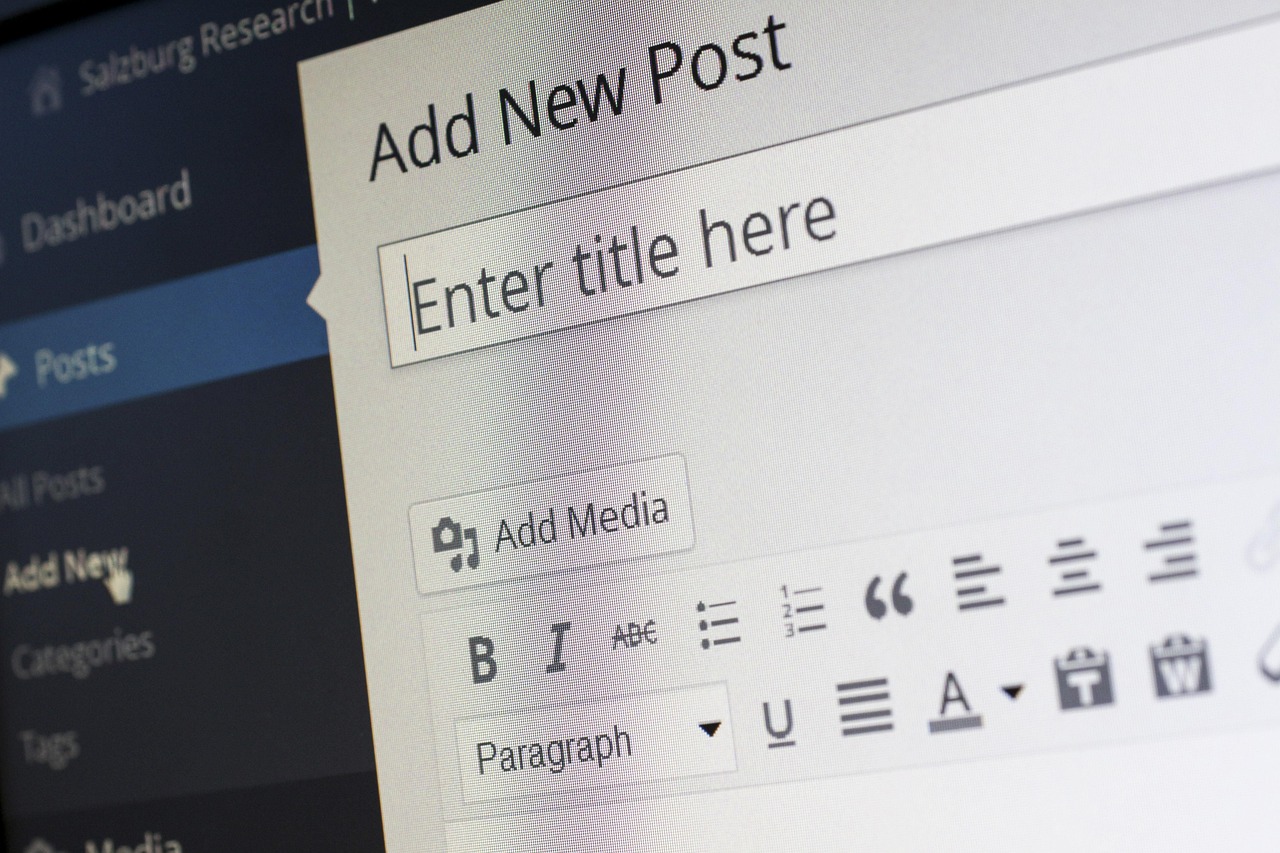
Images do a lot of quiet work on a blog post. They break up walls of text, hold a reader's attention, and make a page easier to understand. But from a search perspective, an image is only as useful as the information you attach to it. A beautiful photo saved as `IMG_4821.jpg` and published with no description is close to invisible to search engines — and entirely invisible to someone using a screen reader.
This guide walks through the two most important levers you control: alt text and file names. You'll learn what each one does, how they differ, how they work together, and how to write both without falling into keyword stuffing. We'll also cover the supporting signals — captions, surrounding text, compression, and file size — that round out a complete image SEO workflow for blog posts.
---
Why Image SEO Matters More Than You Think
Search engines can't "see" a photograph the way a person does. They rely on the textual context you provide to understand what an image depicts and whether it's relevant to a query. That context comes from several places: the alt attribute, the file name, the caption, the heading or paragraph next to the image, and the page's overall topic.
Think of it as a chain of evidence. No single signal tells a search engine everything, but together they form a coherent picture of what the image shows and why it belongs on the page. An image named `golden-retriever-puppy.jpg`, described in its alt attribute as "Golden retriever puppy playing with a tennis ball," captioned "Puppies need short, gentle play sessions," and placed directly beneath a heading about puppy exercise habits is easy for a search engine to interpret. Strip away the name, the alt text, and the context, and the same photo becomes an anonymous rectangle of pixels.
When those signals are missing or generic, images are far less likely to surface in relevant search results. When they're present and accurate, images become another entry point to your content — and another reason for a visitor to spend time on the page. Image search results, visual content in standard results, and the general relevance assessment of a page all draw on these textual cues. A page whose images are well described simply gives a search engine more to work with.
There's also a usability dimension that matters just as much. Alt text exists first and foremost for people who can't see images: screen reader users, people on slow connections where images fail to load, and anyone browsing in a text-only context. Good alt text serves accessibility and SEO at the same time, because both depend on an accurate, human-readable description of the image. This overlap is convenient, but it's worth being clear about the order of priorities: accessibility comes first, and the SEO benefit follows from doing accessibility well. When you write alt text purely to chase rankings, it tends to get worse at both jobs.
One important distinction before we go further: alt text and file names are not interchangeable, and neither is a "silver bullet" on its own. They support each other. Treating one as a substitute for the other leaves value on the table. A perfectly named file with no alt text fails screen reader users. Perfect alt text on a file named `IMG_4821.jpg` leaves an easy supporting signal unused. The goal is a small set of habits applied consistently, not a single heroic effort on one attribute.
It also helps to think about images as content in their own right rather than decoration added at the end. When you plan a post, decide what each image needs to show and why. That planning makes both the file name and the alt text almost write themselves, because you already know what the image is for. Posts where images are an afterthought are exactly the posts where `IMG_4821.jpg` shows up with an empty alt attribute — not because the author didn't care, but because nobody decided what the image was supposed to communicate.
---
Alt Text vs. File Names: What's the Difference?
| | Alt text | File name | |---|---|---| | What it is | A short description added to an image in the page's HTML (the alt attribute) | The name of the image file itself, e.g. `sydney-beach-dog.jpg` | | Who sees it | Screen reader users, visitors when an image fails to load, search engines | Search engines; occasionally visitors who download or inspect the file | | Primary purpose | Accessibility — describing the image for people who can't see it | Identifying the file; providing a descriptive, readable label | | SEO role | A relevance signal tied to the page content | A supporting relevance signal, reinforced by alt text and nearby text | | Editable after publishing? | Yes, easily, in the CMS | Yes, but it requires re-uploading or renaming and updating references |
The practical takeaway: alt text is the priority, particularly for accessibility, and file names are a supporting signal worth getting right before you upload. If you can only do one, do alt text. If you want the full benefit, do both — plus the context around the image.
It's worth dwelling on that last row of the table, because it explains why so many sites get file names wrong. Alt text lives in the page's HTML, which means you can fix a bad one in seconds from your CMS, long after publication. A file name lives in the file itself and in every URL that references it. Once an image is published and indexed, renaming it means re-uploading the file, updating the `src` reference in the post, and potentially dealing with the old URL. That's not impossible, but it's enough friction that most people never do it. The lesson is simple: the cheapest moment to get a file name right is before you upload. Alt text can be fixed later; file names are much easier to fix in advance.
The two also differ in audience. Alt text has a direct human audience — a screen reader user hearing the description, or a sighted visitor reading it when an image fails to load on a flaky connection. File names have a mostly machine audience. That's exactly why alt text deserves more care: it's the one place where doing right by search engines and doing right by people are the same act, performed in the same sentence.
---
How to Write Alt Text That Works for Readers and Search Engines
Describe the image, plainly
Alt text should form a clear mental image of what's in the picture. A photo of a woman hiking a coastal trail might get alt text like "Woman hiking a cliffside coastal trail on a sunny day." That's it — a description, not a sales pitch.
The test is straightforward: if a friend were on the phone with you and couldn't see the image, what would you say to convey it? That sentence is usually close to good alt text. Notice what it leaves out: the file format, the photographer's name, the camera settings, the fact that it's an image at all. Screen readers already announce that an image is present, so opening with "Image of..." or "Picture of..." wastes the listener's time. Get straight to the content.
If an image contains text that matters to the reader (a chart title, a key statistic on an infographic), include that information in the alt text or in the surrounding copy, since the reader may not be able to see it. For example, if a screenshot shows a settings menu with a specific toggle highlighted, the alt text should name the toggle and its state, not merely say "screenshot of settings." Note that search engines' ability to read text baked into images is not something to rely on — the sources here don't establish it as a dependable signal, so treat visible text in images as something you should describe in words yourself. If an infographic's headline number matters to your point, say it in the sentence that introduces the graphic. Never make the image the only place a key fact lives.
Keep it concise
A commonly cited guideline is to keep alt text under roughly 125 characters — short enough to be read aloud comfortably by a screen reader and to form a clear mental image. If an image needs a longer explanation (a complex diagram, for example), give a brief alt description and put the full explanation in the caption or the paragraph next to the image.
Concise doesn't mean terse. "Dog on beach" is short but thin; "Brown dog running on a sandy beach at sunset" is barely longer and paints an actual picture. The 125-character guideline is about avoiding rambling, not about stripping away the details that make a description useful. A good habit is to write the description first, then trim the parts that don't help the listener: decorative adjectives, brand names that aren't relevant, and anything the surrounding copy already says.
For complex visuals — a flowchart, a detailed diagram, a screenshot with many elements — the practical pattern is a short alt description plus a fuller explanation in the surrounding copy. The alt text tells the reader what kind of image it is and its main point; the paragraph or caption carries the detail. This keeps the screen reader experience smooth while making sure the information is available in words somewhere on the page.
Don't stuff keywords
Keyword stuffing in alt text is a well-known anti-pattern. Alt text should describe the image without forcing keywords in. If your keyword happens to fit naturally into an honest description, fine — but writing "best coffee grinder coffee grinder review coffee beans" as alt text helps no one and reads as spam to both users and search engines.
The reason this keeps happening is that alt text is one of the few places on a page where you can drop a keyword in isolation, so it looks like a shortcut. It isn't. A stuffed alt attribute is immediately obvious to anyone who hears it read aloud, and it degrades the experience for the very users the attribute exists to serve. The natural-feature rule is a good one: if you'd be embarrassed to read the alt text aloud to a colleague, rewrite it.
Match alt text to the image's role
Not every image needs a description, and getting this distinction right is a mark of careful work.
- Informative images (photos, screenshots, diagrams that carry meaning): describe what's shown. If removing the image would remove information from the page, it needs real alt text.
- Decorative images (background flourishes, spacer graphics): use an empty alt attribute (`alt=""`) so screen readers skip them. An empty alt is a deliberate signal, not an omission. There's a big difference between `alt=""` — which tells a screen reader "nothing here, move on" — and a missing alt attribute, which leaves the reader to guess and often results in the file name being announced instead.
- Functional images (an image used as a button or link): describe the function, e.g. "Search." The reader needs to know what the control does, not what it looks like. "Magnifying glass" describes the picture; "Search" describes the action, and the action is what matters.
A useful sorting question: if this image vanished, would the reader lose meaning? If yes, it's informative and needs describing. If no, it's decorative and gets an empty alt. If it's a control, describe what it does. Most blog images fall into the informative category, which is why writing descriptions is the default habit and empty alt is the exception.
Answering a common question: what's the difference between an image caption and alt text?
Alt text is the description embedded in the image's HTML, read by screen readers and used by search engines. A caption is visible text displayed near the image on the page, which everyone sees. They serve different purposes — but both can reinforce what the image is about, and a good caption is another contextual signal that helps search engines understand the picture.
The practical division of labor: alt text describes the image itself, while a caption can add context, interpretation, or a connection to the surrounding argument. A photo of a busy farmers market might have the alt text "Shoppers browsing stalls of fresh produce at an outdoor farmers market," while the caption reads "Saturday mornings are the busiest time at the market — arrive early for the best selection." The alt text tells a non-sighted reader what's in the frame; the caption tells every reader why it's in the article. Together they cover both audiences without duplicating each other.
---
How to Name Image Files for SEO
File names are a smaller signal than alt text, but they're easy to get right and worth the thirty seconds they take.
The four working rules
- Choose relevant file names. The name should reflect what the image actually shows.
- Include keywords where they fit naturally. A photo of a dog on a Sydney beach can legitimately be named `sydney-beach-dog.jpg` — that's a description, not a stuffed keyword.
- Separate words with hyphens. Hyphens are the standard word separator for file names; they keep the name readable to search engines. Avoid underscores, spaces, and run-together words.
- Add alt text. A well-named file doesn't replace alt text — the two work as a pair.
And the flip side: avoid generic camera-generated names like `IMG00392.jpg`. They tell search engines and humans nothing about the content.
A few examples make the pattern concrete. Weak: `DSC_0451.jpg`. Better: `hiking-boots-muddy-trail.jpg`. Weak: `screenshot-2024.png`. Better: `email-automation-dashboard-settings.png`. In each case the better name states what the image actually contains, in words a person would search for, separated by hyphens. Notice that none of them stuff multiple phrases together. A file name is a label, not a sentence — three to six meaningful words is usually the sweet spot.
A note on characters: stick to lowercase letters, numbers, and hyphens. Avoid accented characters, apostrophes, and other punctuation, which can get mangled in URLs. Lowercase matters too — some servers treat `Beach.jpg` and `beach.jpg` as different files, and mixed-case names are easy to mistype when you're writing HTML by hand.
Rename before you upload
The cleanest workflow is to rename files before uploading them to your CMS. Renaming after publication means updating references and can break existing image URLs — avoid that where possible. Build the naming step into your pre-publish checklist so it never becomes a cleanup job.
If you're working from a phone or camera, this means a brief stop between importing and uploading: look at each image, decide its descriptive name, and rename it. Batching this step — renaming all of a post's images in one pass before touching the CMS — is faster than doing it one image at a time mid-edit, and it forces you to think about what each image actually shows before you write its alt text, which makes the alt text easier to write.
For sites with an existing backlog of `IMG_####` files, a sensible policy is: fix file names going forward, and fix old ones opportunistically, when you're already editing a post or when an image is important enough to justify the URL update. Perfectionism about the archive isn't required. Consistency from today onward is.
---
The Supporting Signals: Context Around the Image
Alt text and file names don't operate in a vacuum. The text around the image reinforces what the image is about: captions, headings, and nearby paragraphs all add context that helps search engines interpret the picture. An image with decent alt text but a caption and surrounding paragraph on the same topic sends a much stronger, more coherent signal than an image dropped into an unrelated section.
There's a useful intuition here: search engines are trying to confirm that all the signals agree. If the file name says "espresso-machine," the alt text says "espresso machine," the caption mentions espresso, and the paragraph the image sits in is about brewing espresso, the signals corroborate each other. If the alt text says "espresso machine" but the image sits in a section about iced tea, the signals conflict, and the image's relevance to that section becomes murky. Consistency across signals is worth more than any single strong signal.
Practically, this means:
- Place images where they're relevant to the section they appear in. An image inserted purely to break up a long scroll, in a section it has nothing to do with, wastes whatever good alt text it has.
- Write captions that add information rather than restating the obvious. "A dog" under a photo of a dog adds nothing; "This breed needs two walks a day, even in winter" adds information and context.
- Let the heading and paragraph next to the image do their normal job — if they're on-topic, they're already helping. You don't need to contort your prose to "optimize" for the image; a well-written section on the image's topic is the natural context, written for readers first.
One more supporting element worth mentioning: the link context, if the image is wrapped in a link. If clicking the image leads somewhere, make sure the destination makes sense for the image and the surrounding text — both for readers and for search engines' understanding of the relationship.
---
Technical Image SEO: The Part That's Easy to Overlook
Alt text and file names get the headlines, but technical hygiene determines whether your images actually help or hurt the page. The core practices:
- Use the right file size and dimensions. Don't upload a 4000px-wide image to display at 600px. Resize the image to roughly the dimensions it will actually render at (with some allowance for high-density displays), so the file carries only the pixels it needs.
- Compress images to reduce file weight without visibly degrading quality. Most image editors and CMS platforms offer compression options; the goal is the smallest file that still looks good at the size it's displayed.
- Use a CDN to serve images efficiently. A content delivery network distributes images from locations closer to visitors, which reduces load times without any change to the file itself.
- Follow alt text best practices consistently across the site. Technical wins are wasted if the descriptive work is inconsistent — and consistency is what turns an occasional good image into a site-wide pattern.
Page speed matters to both users and search engines, and images are frequently the heaviest part of a blog post. A perfectly optimized alt attribute on a 6MB photo is a job half done. The image is discoverable in principle and painful to load in practice.
A final technical note on formats and behavior: use web-friendly image formats appropriate to the content (photographs and screenshots generally have more suitable options than enormous uncompressed source files), and avoid uploading images larger than necessary and then shrinking them with CSS. Resizing with CSS changes how the image looks, not how much data the browser downloads — the full-size file still travels over the network. Resizing and compressing the actual file is what saves time for the reader.
---
A Quick Pre-Publish Checklist for Every Blog Image
Run through this before you hit publish:
- [ ] File renamed descriptively, with words separated by hyphens (no `IMG_####`)
- [ ] Alt text written — a concise, accurate description (under ~125 characters where possible)
- [ ] No keyword stuffing in the alt text
- [ ] Decorative images given an empty alt attribute
- [ ] Caption written where it adds value
- [ ] Image placed in a relevant section, with on-topic text nearby
- [ ] Image compressed and sized appropriately
The checklist is deliberately short enough to actually use. If you want to build the habit, attach it to a step you already perform — the moment before you schedule a post is a natural time. After a few repetitions, most of the items become automatic, and the checklist becomes a backstop rather than a learning tool.
---
Common Image SEO Mistakes to Avoid
- Publishing with generic file names. `DSC_0045.jpg` tells no one anything.
- Skipping alt text entirely. This is the single biggest miss — it hurts accessibility first and SEO second.
- Treating alt text and file names as substitutes. They reinforce each other; use both.
- Stuffing keywords into alt text. It reads as spam and serves no reader.
- Uploading huge, uncompressed files. The SEO cost shows up as slow page speed.
- Leaving decorative images with descriptive alt text. Screen reader users hear noise instead of useful content.
- Ignoring the text around the image. Captions and nearby paragraphs are part of the signal set, not decoration.
Two more mistakes worth adding to the list. First, making the image the only home for essential information — if a chart's numbers or a screenshot's settings are the point, say the point in words nearby. Second, renaming files after publication without a plan — the resulting broken image references are worse than an imperfect original name, so if you do rename a live file, make sure the reference is updated and the old URL handled deliberately.
---
What is an image alt tag? It's the alternative text attached to an image in HTML — a short description that screen readers announce and that search engines use to understand the image. It's also what displays if the image fails to load.
Is alt text required for SEO? Alt text is essential for accessibility and valuable for SEO — it's the priority element, more important than file names. Think of it as required practice for any image that carries meaning, with empty alt reserved for purely decorative images.
Which matters more: alt text or file names? Alt text. It's the priority for accessibility and a stronger relevance signal. File names support it. Neither is a silver bullet alone — the benefit comes from doing both well, alongside captions and surrounding text.
What's the difference between alt text and a caption? Alt text is embedded in the image's HTML and read by screen readers; a caption is visible on the page for all readers. They serve different purposes, and both can reinforce what the image is about.
Can Google read text inside images? The sources provided don't establish this as a reliable signal to depend on. If an image contains important text, describe it in the alt text or nearby copy so the information is available in words.
Does alt text matter on Pinterest? This question comes up often, but the sources provided don't cover Pinterest specifically, so we won't speculate here. The general principle — accurate descriptions over keyword stuffing — is the safe default on any platform.
Should I ever leave alt text blank? Yes — for purely decorative images, an empty alt attribute (`alt=""`) is the correct choice, because it tells screen readers to skip the image. Blank alt should be a deliberate decision for decoration, never an accidental omission on an informative image.
Do hyphens or underscores matter in file names? Hyphens are the standard separator for file names and keep the name readable as distinct words. Underscores, spaces, and run-together names are best avoided.
---
Final Thoughts
Image SEO for blog posts comes down to a simple habit: describe your images honestly, in the file name and in the alt text, and place them where they make sense. Alt text leads — it serves accessibility first and search engines second. File names support it. Captions and nearby paragraphs reinforce both. Compression and sensible file sizes keep the page fast.
None of these steps takes long, but together they turn images from invisible page filler into discoverable, accessible, useful parts of your content. Build them into your pre-publish routine, and every post you publish will be a little stronger than the last. Getting these details right is easier when image checks are part of your normal publishing routine rather than an afterthought. Rankenza is built around producing search-friendly blog posts, so these image habits fit naturally into that workflow.